











Quick Links
Note: This process is only for the post-2022 Control Pod 3.0 (Dial on top).
If you have a Control Pod 2.0, please read this article.
If you have the original control pod please refer to this article.
Control Pod 3.0 Master Reset
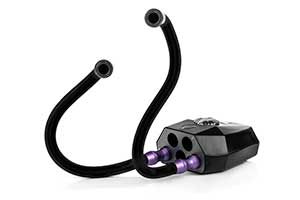
Use a pin or small object to press the small button inside the hole on the top of the Pod.
The Pod will cease to function and the software will be reset.
Plug the Pod into USB power. Its initialisation sequence will begin and the Pod will begin to charge normally.
We recommend performing a master reset on your Pod periodically.
It is important to plug the Pod back in to USB power to complete the reset.
The Pod will not operate until the initialisation sequence has completed.
More Resources
Find product specifications and detailed user guides in our support knowledge base.